

Apple Creator Studio Gets Its Biggest Update Since Launch, With AI Assistants Everywhere
Apple's Creator Studio update builds MotionVFX into Final Cut Pro, adds Generate Fill to Pixelmator Pro, and brings beta AI assistants to Logic, Keynote and more.

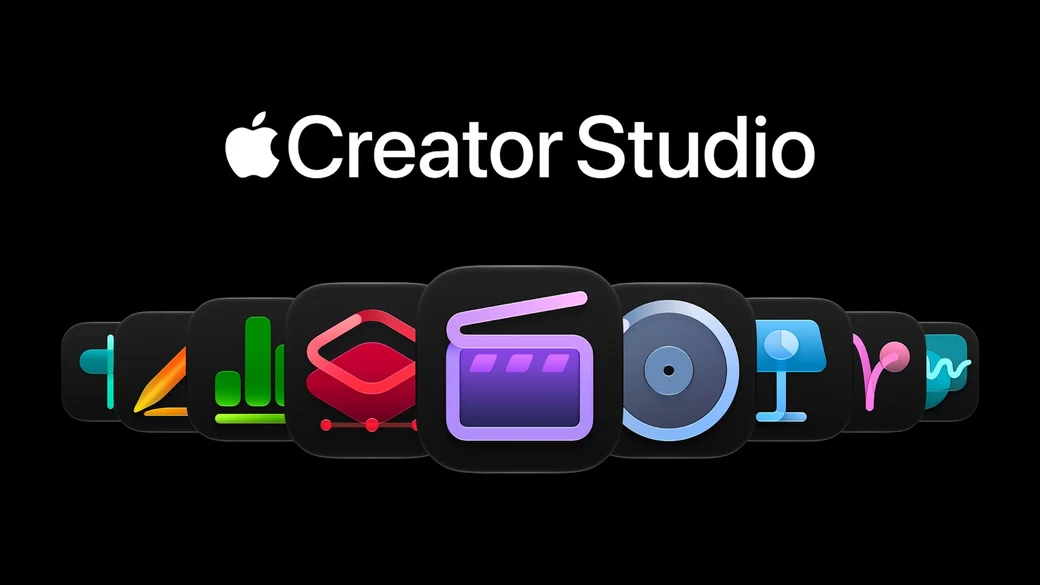
Apple introduced a major update to Apple Creator Studio on Tuesday, October 27, 2026, and Apple calls it the most exciting update since the suite launched.
This is the kind of news that could easily have been saved for Wednesday's "Pro and Tell" event. Instead, Apple announced it a day early as a press release, alongside the new M6 MacBook Pro and M6 iMac. The updates will be available on the App Store this November as a free update for existing subscribers.
Creator Studio is Apple's subscription bundle of creative apps for Mac, iPad, and iPhone, including Final Cut Pro, Logic Pro, Pixelmator Pro, Motion, Compressor, and MainStage, along with premium content and intelligent features in Keynote, Pages, and Numbers. The update touches almost all of them, with two big themes: built-in professional content, and AI assistants that understand what you are working on.
Final Cut Pro: MotionVFX built in, plus Pixelmator Pro round trips
For video editors, the biggest change is that Final Cut Pro for Mac now includes MotionVFX directly inside the app. That gives editors access to thousands of elements, including templates with unique themes, stylish graphics, titles, and transitions, plus tools for rotoscoping, tracking, and color grading, without buying and installing a separate effects library.
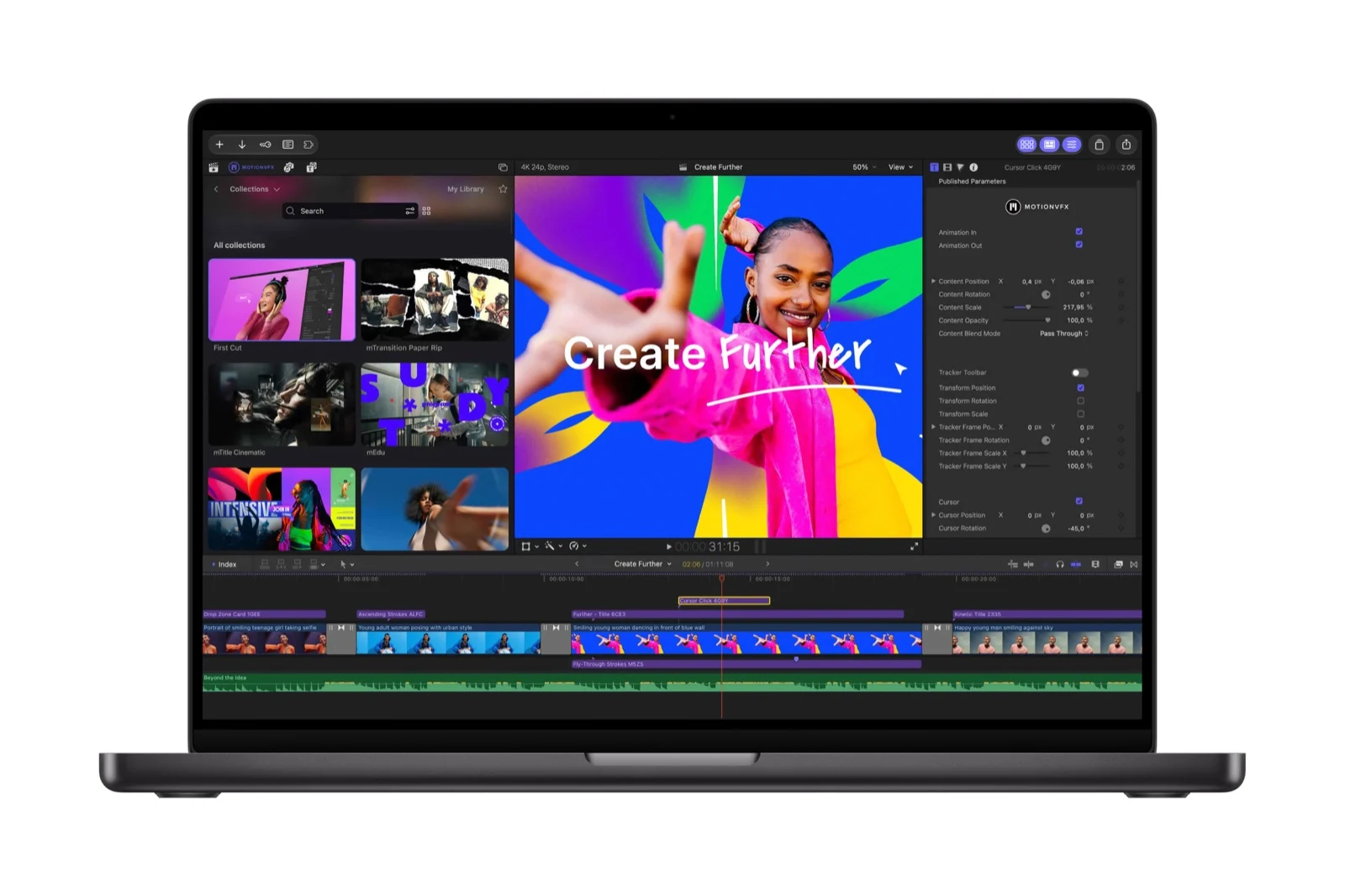
Apple's curated Content Hub is now available directly in Final Cut Pro as well, with a library of stock videos, photos, and backgrounds to fill gaps, add polish, or spark ideas without leaving the timeline.
Cross app workflow also gets a major upgrade. Editors can open any image from their timeline directly in Pixelmator Pro, use its advanced editing tools, and save changes back to the project automatically, with no reimporting required. You can also generate images from text descriptions right inside a project, apply quick edits, and adjust visual styles.
Other Final Cut Pro workflow improvements include:
- More keyframe easing options for finer animation control
- The ability to disconnect clips from the primary storyline and place them anywhere on the timeline
- 23 new transcription languages, making it easier to caption and search footage
Motion adds a built-in set of MotionVFX plug-ins for cinematic color grading, 3D camera tracking, and one-click selection, plus image generation and editing from text, Pixelmator Pro round trips, a new Displacement filter, and an interactive demo project. Compressor adds the ability to encode Cinematic mode video recorded on iPhone 18 Pro and iPhone Duo.
Pixelmator Pro: Generate Fill
Pixelmator Pro introduces Generate Fill, a tool that lets you edit an image based on a description. Circle an area in an image and describe the change you want, or use existing selection tools like Free Selection, Quick Selection, or Magnetic Selection for more precision.
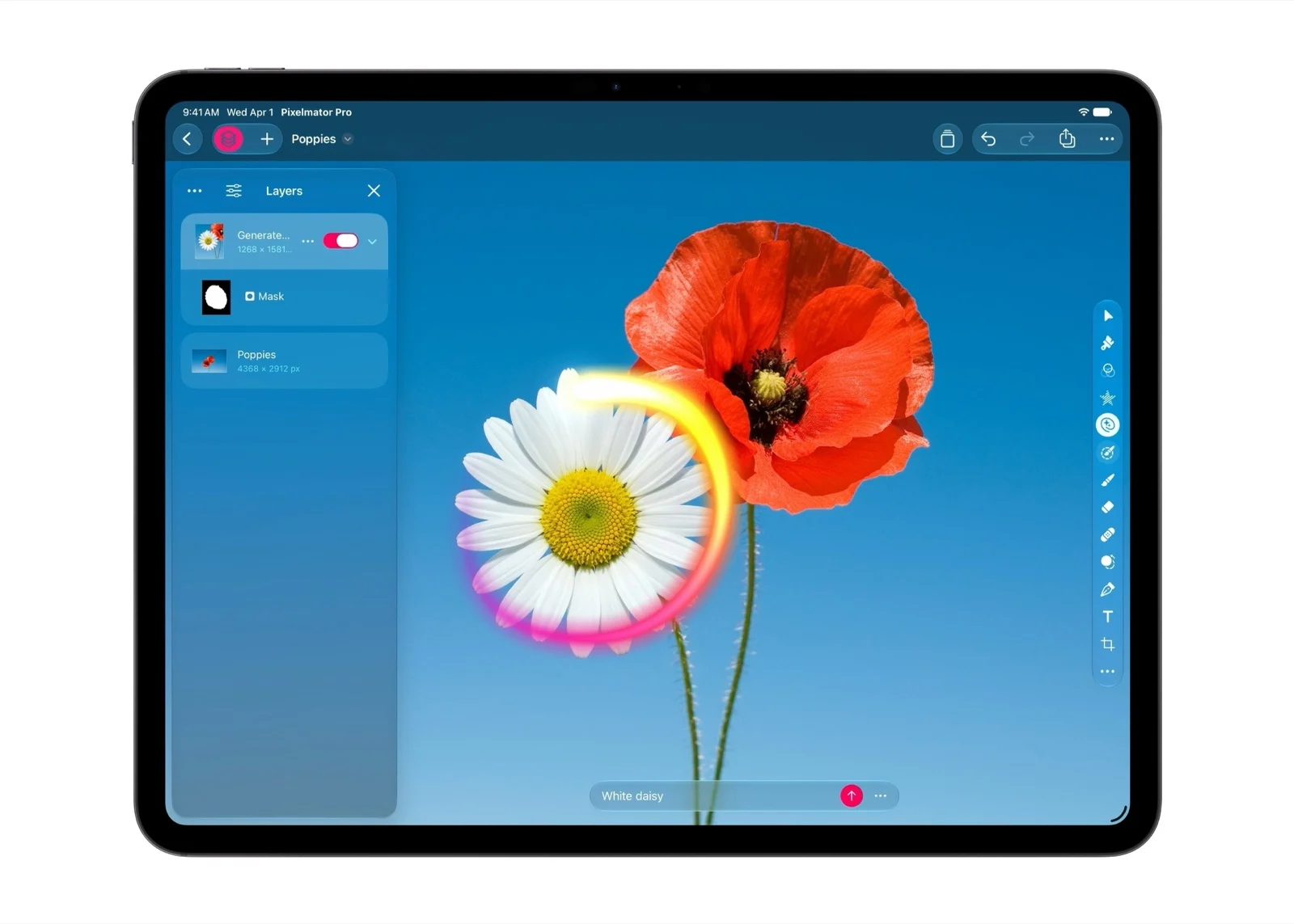
Generate Fill automatically matches the lighting, perspective, and texture of the surrounding environment so edits blend in, and built-in Super Resolution upscales the generated content so it stays sharp at any size. Generated elements can be merged into existing layers or inserted as new layers with intelligent masking for continued refinement.
This is the kind of tool that used to require a separate AI image editor or a lot of manual cloning and retouching. Now it is built into Pixelmator Pro, and it works round trip from Final Cut Pro too.
Logic Pro: a new assistant, a better Browser, and drums in Stem Splitter
Logic Pro for Mac and iPad gets a new Liquid Glass design, with translucent surfaces and deeper contrast that highlight waveforms and tracks. More importantly, Logic Pro for Mac gets a new intelligent assistant in beta, powered by a combination of Apple-built models and OpenAI.
The assistant helps creators navigate production workflows, start a new song, set up a vocal track from a single prompt, or refine an active project. It requires macOS 27 Golden Gate or later on an Apple Intelligence capable Mac, and it is available in US English only for now.
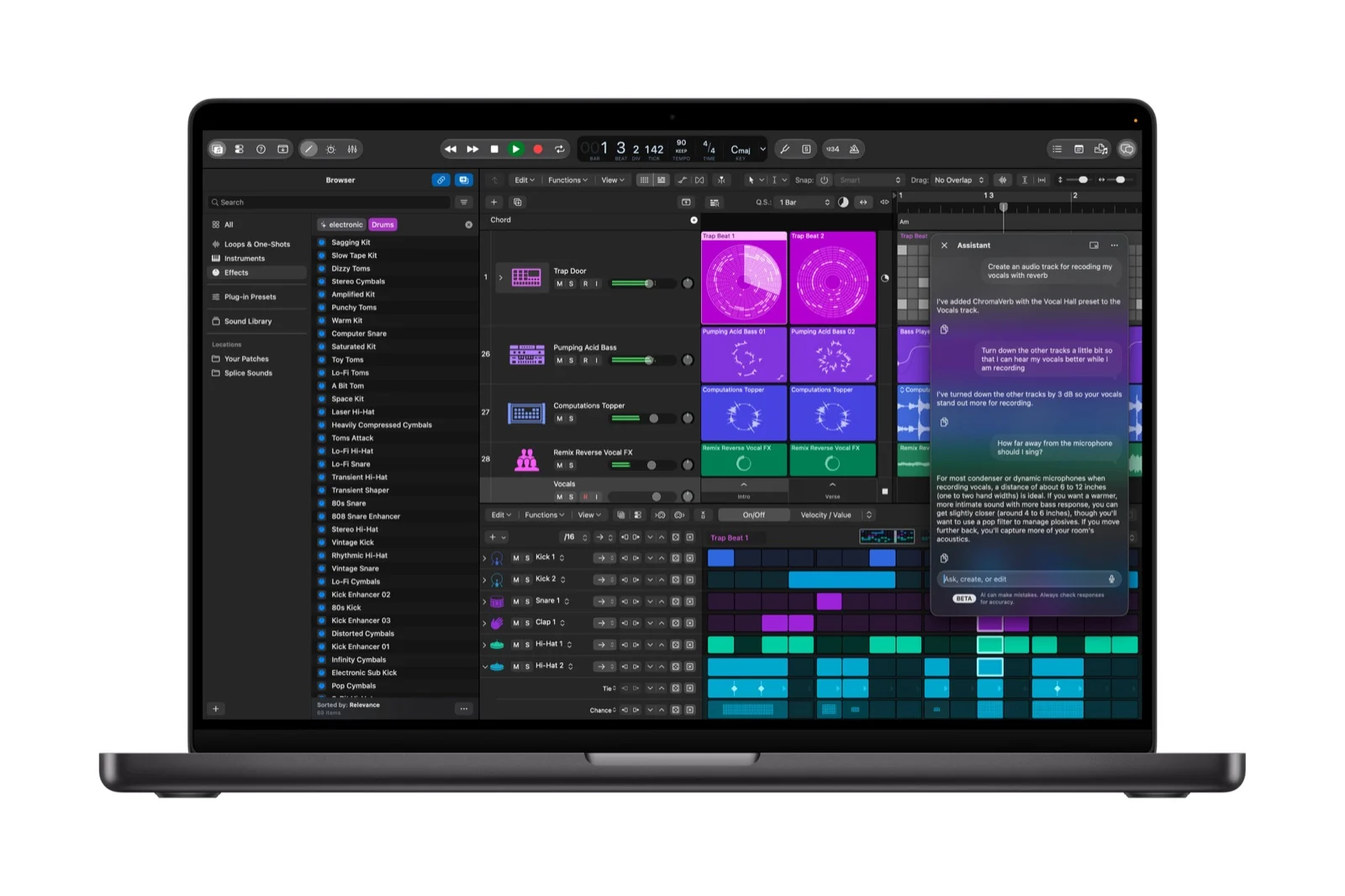
Finding sounds also gets faster. A redesigned Browser on Mac centralizes loops, instruments, effect patches, and more, and adds a Splice library. Powered by music understanding, an on-device audio analysis tool, Logic Pro automatically analyzes, classifies, and tags added sounds, so you can search your entire collection or drag in a loop to surface matching audio.
Stem Splitter, already one of Logic Pro's best features, gets even more advanced. It can now isolate, replace, or rebalance drum parts without needing the original multitracks. That is a big deal for remixing and for rescuing a mix where the drums are too loud, too quiet, or just wrong.
Logic Pro also adds a new Producer Pack from Sergio George, the 20-time Grammy winner known as the King of Modern Salsa, with his signature piano sound and authentic Latin jazz and salsa loops, including a full salsa percussion section, brass ensemble, and basses. And with Voice Memo Studio Sound, you can reduce room ambience and background noise in recordings captured on supported iPhone models, then continue fine-tuning in Logic Pro.
Keynote, Pages, and Numbers: AI assistants and MCP support
The productivity apps get the same assistant idea, adapted to documents. Keynote, Pages, and Numbers introduce new AI features in beta, including assistants that understand document context, built on Apple models and OpenAI.
What each assistant does:
- Keynote: Helps with designing, animating, and refining slides
- Pages: Drafts, restructures, and fine-tunes written content
- Numbers: Calculates, visualizes, and organizes data, recommends suitable chart types with a one-tap preview, and builds custom tables using world knowledge
These assistants require an Apple Intelligence capable device running iOS 27, iPadOS 27, or macOS 27 or later, and they are available in US English only for now.
The more technical, and potentially more important, addition is Model Context Protocol (MCP) support, which requires macOS 27 or later. MCP enables external AI agents and tools to read content, perform edits, and execute automated actions directly in Keynote, Pages, and Numbers. In plain terms, it lets other AI tools work inside your documents in a structured way, instead of just copying and pasting text in and out.
Across Keynote, Pages, and Numbers, the Content Hub also expands to include Apple-curated stock video footage, plus a fresh collection of professionally designed templates and themes. Keynote adds support for Keynote Interchange Format (.keyx), an open JSON-based bundle file format designed to be readable by external tools, developer workflows, and AI agents.
Freeform adds text styles for one-step formatting and reuse across boards, plus custom and preset board background colors. Arriving in December, Freeform will also let you edit images directly in Pixelmator Pro and generate editable shapes from text descriptions.
Pricing and availability
Apple Creator Studio updates will be available on the App Store this November as a free update for existing subscribers.
For new subscribers, Apple Creator Studio costs:
- $12.99 per month, or $129 per year in the US
- $2.99 per month, or $29.99 per year with education savings for college students and educators
- One month free trial for new subscribers
- Three months free with the purchase of a new Mac or qualifying iPad
Creator Studio is available as a universal purchase on the App Store, and up to six family members can share the apps and content with Family Sharing.
If you prefer to buy apps outright instead of subscribing, one-time purchase versions are available on the Mac App Store:
- Final Cut Pro: $299.99
- Logic Pro: $199.99
- Pixelmator Pro, Motion, and Compressor: $49.99 each
- MainStage: $29.99
Keynote, Pages, Numbers, and Freeform continue to be available free, and are included with every new iPhone, Mac, and iPad.
System requirements vary by app, and some features require Apple silicon or newer operating systems, so check the App Store listing for your specific Mac, iPad, or iPhone before assuming every feature will work on your device.
Who this update is for
- Video editors: MotionVFX built into Final Cut Pro, Content Hub video inside the timeline, and Pixelmator Pro round trips will save time on almost every project.
- Music creators: The Logic Pro assistant, redesigned Browser with music understanding, and drum separation in Stem Splitter are the most practical new tools in this update.
- Image editors: Generate Fill in Pixelmator Pro, especially combined with Final Cut Pro round trips, makes AI image editing part of a normal workflow instead of a separate step.
- Presenters, writers, and spreadsheet users: The Keynote, Pages, and Numbers assistants, plus MCP support, are aimed at people who want AI help inside the document, not in a separate chatbot window.
What to watch
The assistants are the most exciting part of this update, and also the part to treat with the most caution. They are in beta, they are US English only for now, and the Logic Pro assistant requires macOS 27 on an Apple Intelligence capable Mac. MCP support requires macOS 27 as well.
That means the full AI experience will not be available to everyone on day one, especially on older hardware or outside the US. The content and workflow improvements, like MotionVFX, Generate Fill, Stem Splitter drums, and Content Hub video, are more immediately useful, and they do not depend on the beta assistants.
Bottom line
Apple Creator Studio's November update is not a minor refresh. It adds professional effects and stock video where editors actually work, AI image editing where photographers actually work, and AI assistants where musicians, presenters, and writers actually work.
If you already subscribe, this is a free update in November, and it is hard to argue against installing it. If you do not subscribe, the $12.99 per month price, or $129 per year, now buys a lot more than it did before, especially if you use Final Cut Pro and Logic Pro regularly.
Just go in with eyes open about the beta labels and US English limits on the assistants. The tools are real. The AI help is promising, but still early.